Do you always want perfectly centered room texts in your floor plans? In this tutorial, we will show you how to easily restore the automatic positioning of room texts in the 3D architecture software cadvilla®. By default, the program places room labels in the center of the room, but this centering can be lost due to manual moving or the insertion of new walls. Learn step by step how to automatically realign shifted texts and efficiently apply this setting to all rooms in your project. This ensures a tidy and professional plan in no time.
General information on the positioning of room texts Important: By default, room texts are automatically positioned in the center by cadvilla® when a room is created. As soon as you manually move a room text with the mouse, the automatic positioning property is deactivated for this specific text.
Restore automatic positioning (from V13)
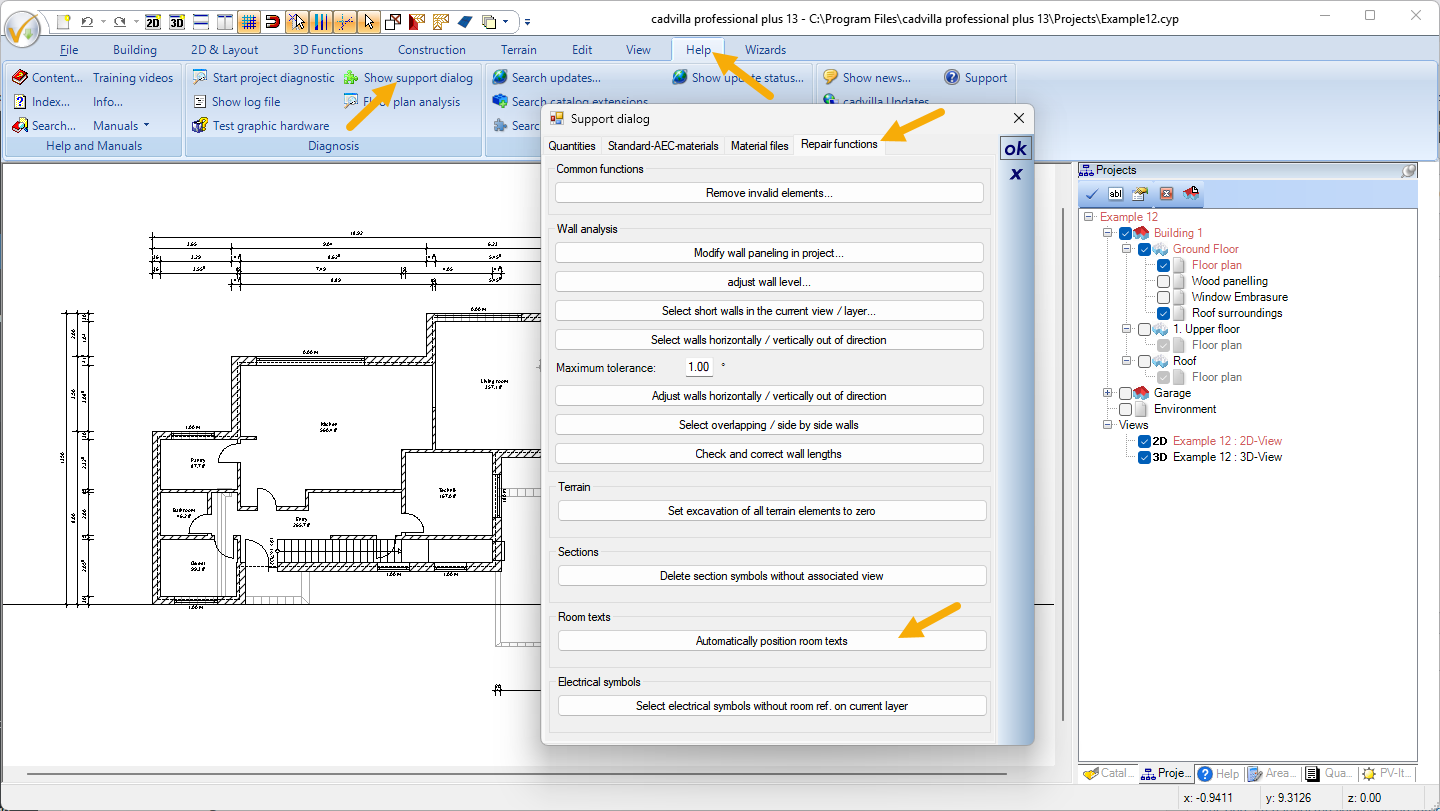
Restore the centering of the room text for all rooms
- Click on Help > Show support dialog > Troubleshooting.
- Select the Automatically position room texts function.